Your whole fleet, right in front of you.
Screenshots of the real app on a sample fleet. Names and addresses are fictional.
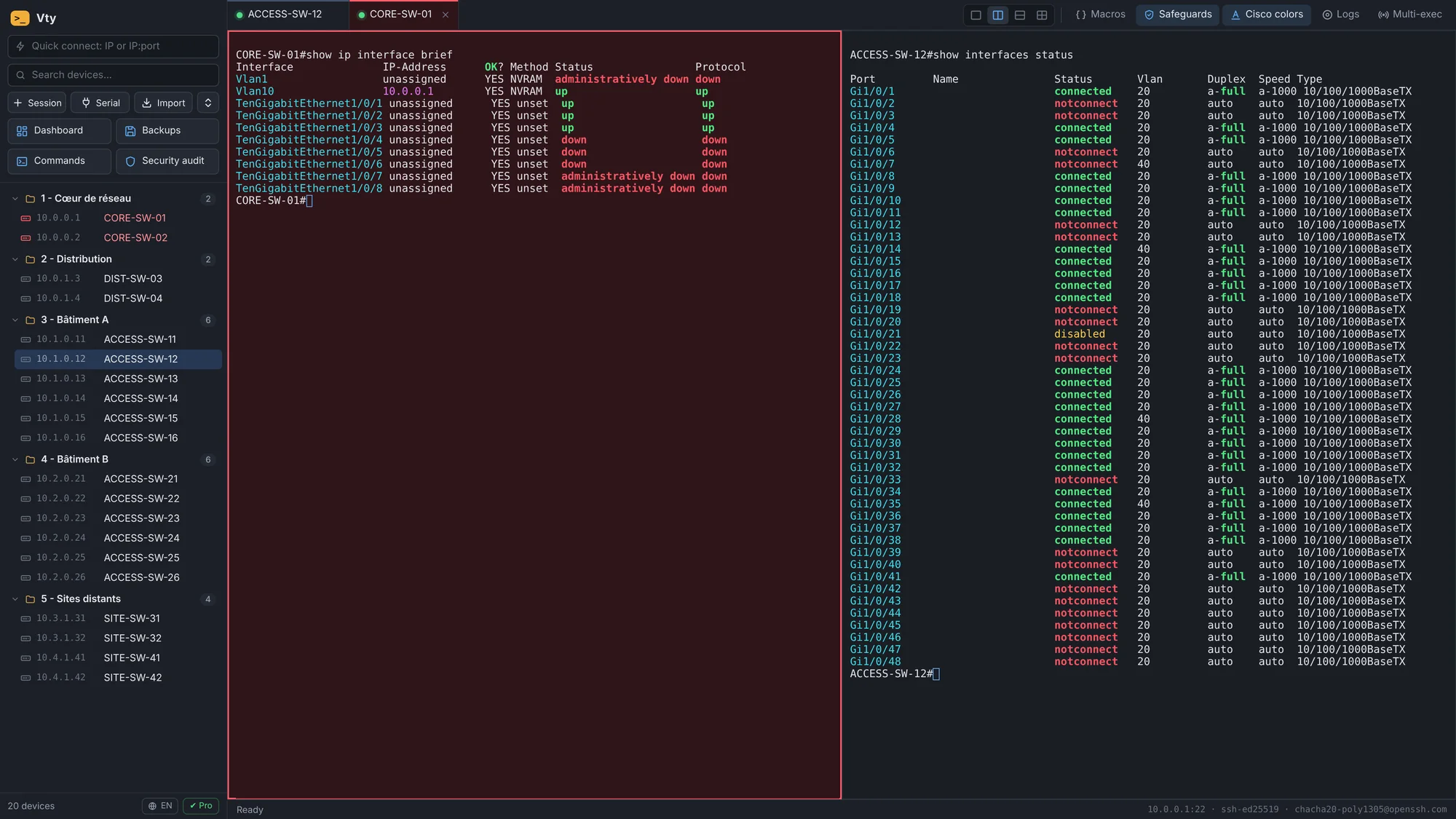
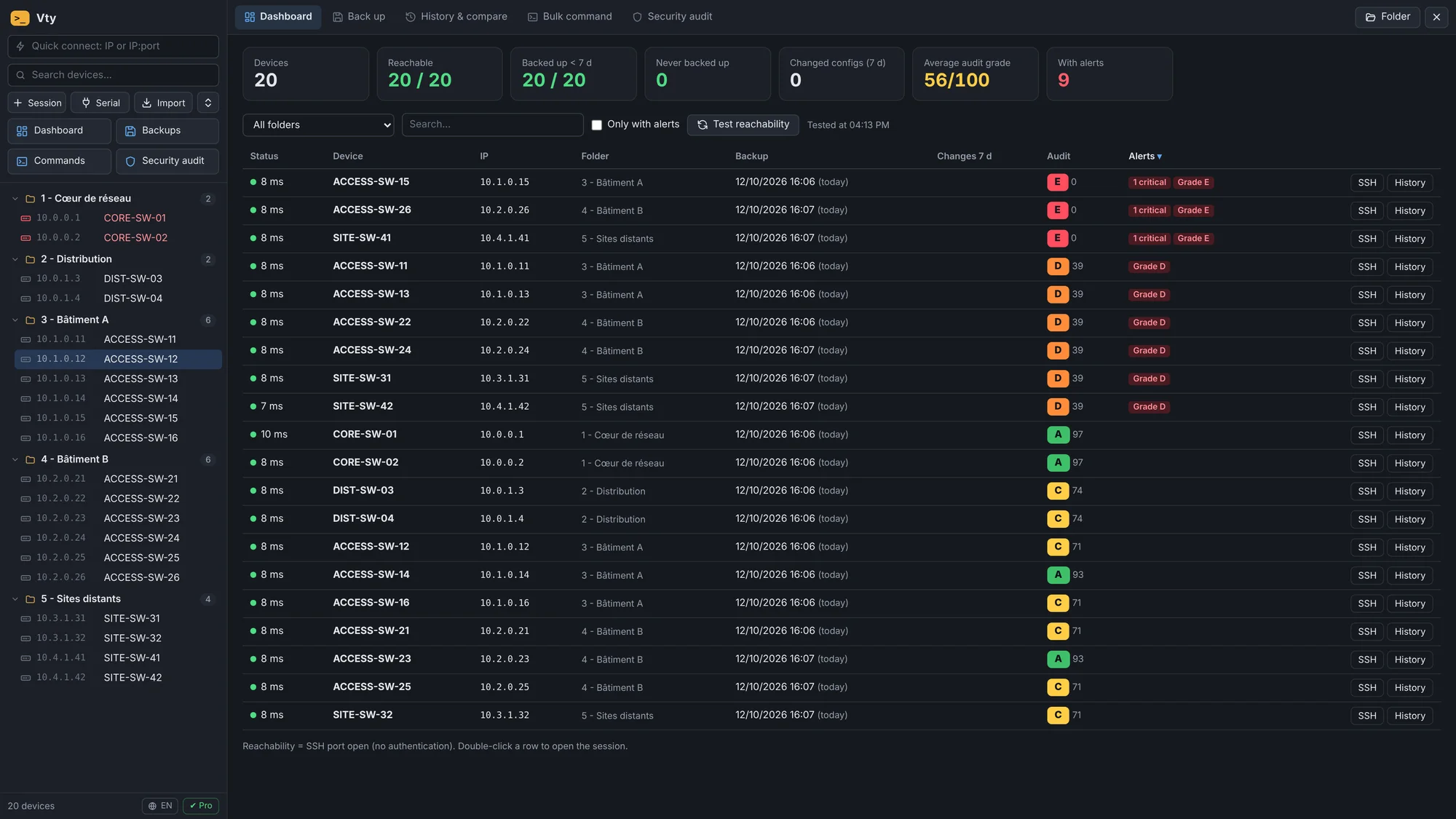
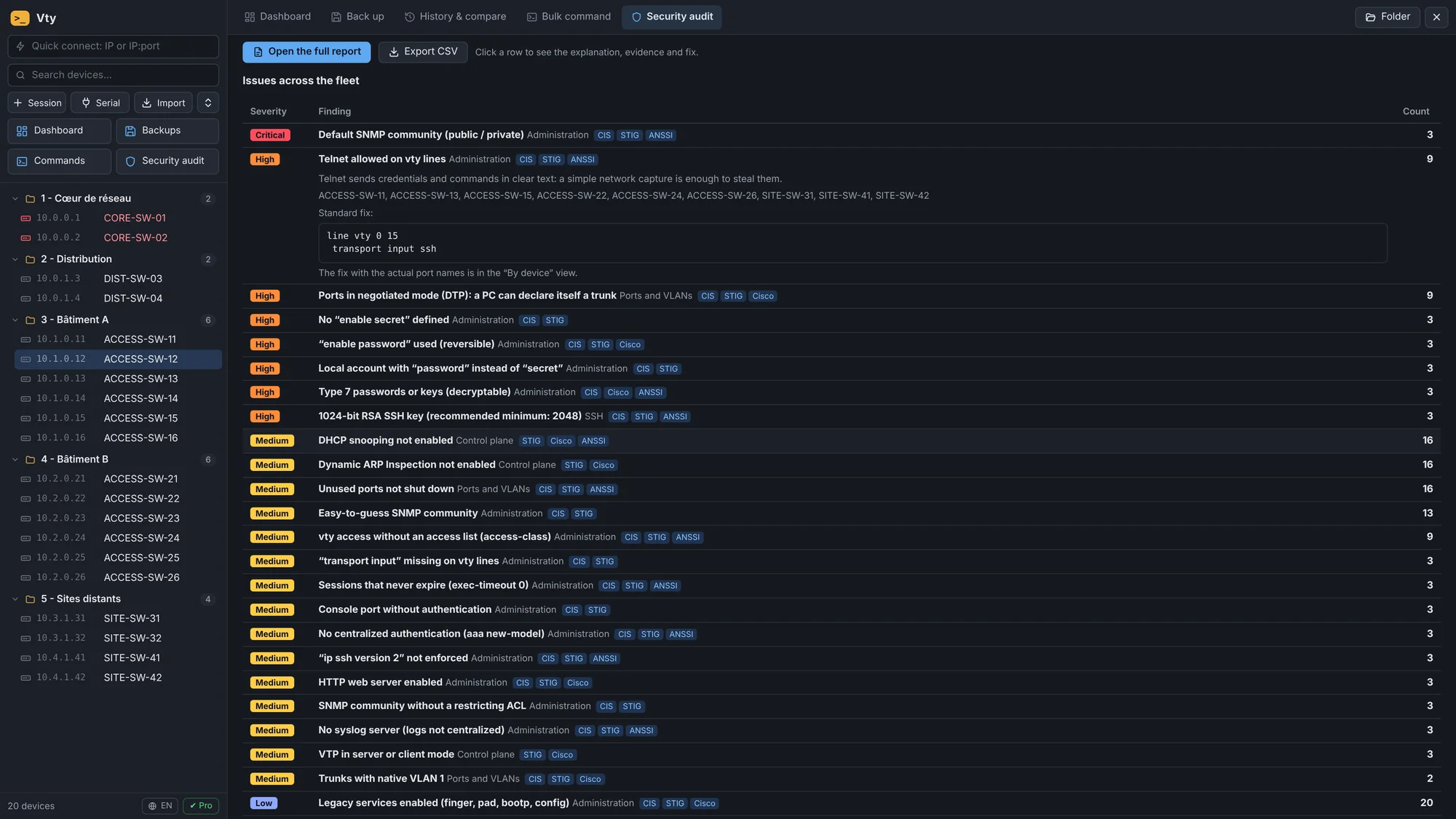
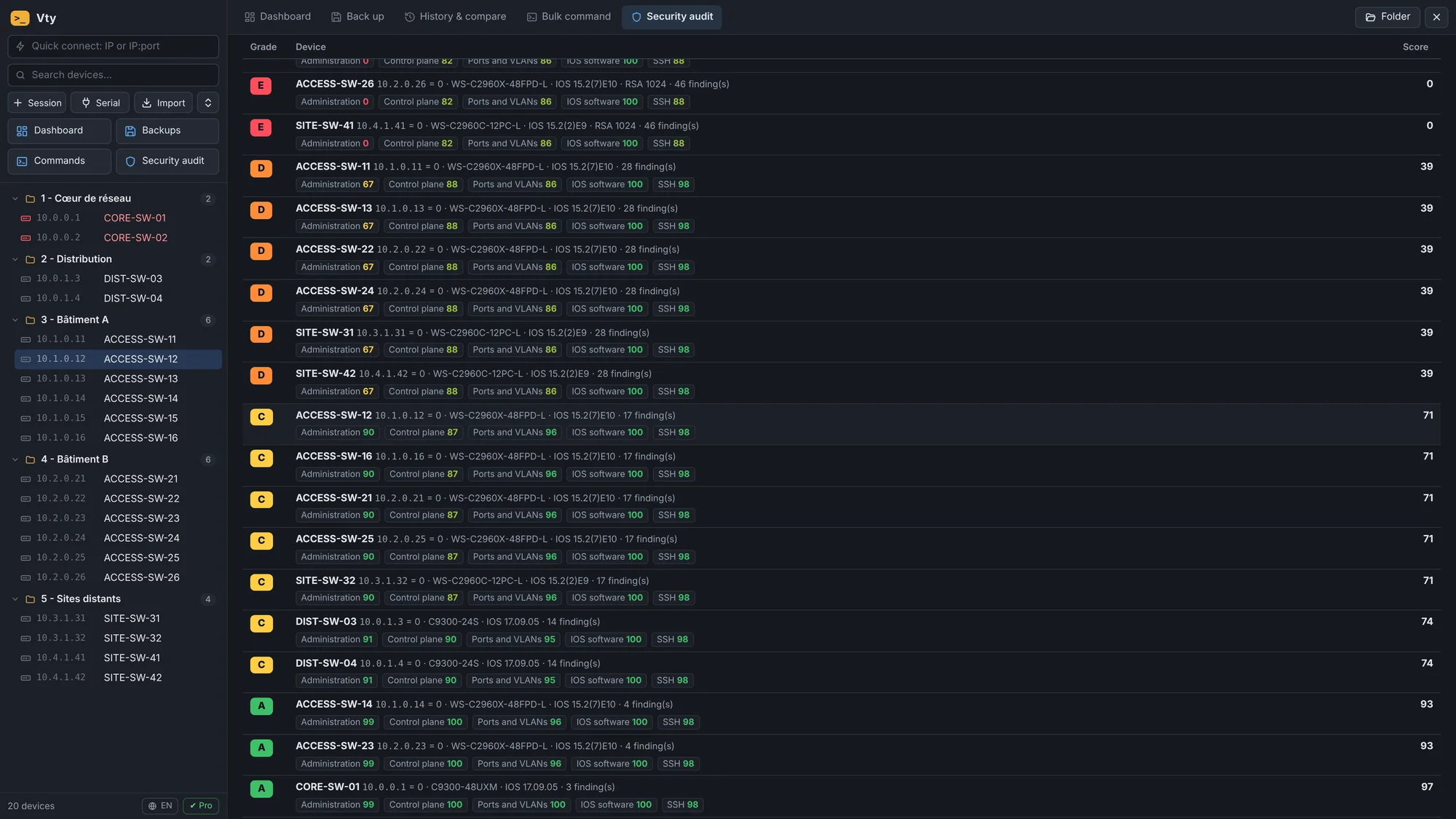
Vty brings your SSH sessions, config backups, security audits and bulk commands into one app. No more twenty PuTTY windows and copy-pasting from one switch to the next.
Vty was written by a network engineer, for the moments when the console gets in the way instead of helping.
What changed on the second-floor switch since last week?
Vty backs up the configs of your whole fleet in one click, six devices at a time. A new version is only kept when the config has changed, and the diff shows you the lines added or removed.
ProBackups and diff
VLAN 30 needs to be on forty switches by tonight.
Check the tabs, type the command once: it goes to all of them. For everyday changes (IP phone + PC port, VLAN on a trunk, err-disabled port), macros check the fields and show a preview before sending.
ProMulti-exec and macros
The auditor is coming on Thursday.
82 checks based on CIS, DISA STIG and ANSSI. Every switch gets a grade from A to E, every finding comes with a fix ready to paste, and you walk away with an HTML report. Your IOS version is also checked against known Cisco vulnerabilities.
ProSecurity audit
I typed reload in the wrong tab.
Vty catches dangerous commands before they're sent, even abbreviated (rel, wr er, sw tr al vl). For the worst ones, you have to type CONFIRM. Critical devices are shown in red.
FreeSafeguards
SSH sessions, split screen, macros, backups, bulk commands, audit and safeguards, filmed on a fictional fleet of 20 switches.
Screenshots of the real app on a sample fleet. Names and addresses are fictional.
Multi-exec: type once, Vty sends it to every checked tab.
Six devices in parallel, a version kept only when the config changes, line-by-line diff.
82 checks, A to E grade, fix ready to paste and HTML report.
Checked against Cisco PSIRT advisories, with the first fixed release.
Read-only commands on hundreds of switches, live filter, CSV export.
IP phone + PC port, VLAN on a trunk, err-disabled port: fields checked, preview before sending.
SFTP / SCP, with the MD5 verified by the switch after the upload.
Reachability, stale backups, audit grades and alerts on a single screen.
Vty runs entirely on your PC. No account, no cloud, no telemetry.
Sample data. Each finding gives the explanation, the evidence (secrets masked) and the fix with the real port names.
One install: the free version becomes Pro as soon as you paste your license key.
No time limit, no sign-up
Lifetime license · 1 year of updates included
Send an email with the subject “Vty Pro” to:
contact@getvty.comOr open my mail app. You'll hear from us the day sales open.
After the first year, your version stays Pro for life. Renewing only gets you the new releases.
The terminal works with any device reachable over SSH, Telnet or a serial console. Backups, the audit, macros and the vulnerability check are built for Cisco IOS and IOS-XE.
Nowhere. Vty asks for them when you connect and keeps them in memory only as long as needed, never on disk. For an SSH key, only its location is saved; the passphrase is asked again. Saved configurations, which contain your devices' secrets, are encrypted on your computer, and you can add a master password.
Yes, with no time limit and no sign-up. It's limited to 25 saved devices; the fleet management features (backups, audit, multi-exec…) need a Pro license.
Yes: the installer isn't signed yet. Click “More info”, then “Run anyway”. You can check the file with its SHA-256 fingerprint and the VirusTotal scan further down this page.
No. Vty works on an isolated network, license included. It only checks for a new version at startup (you can turn that off), and the Cisco vulnerability check only contacts Cisco when you run it.
€45 excl. VAT per user, paid once. Your version stays Pro for life, with one year of new releases included. Sales open soon: leave your email in the Pricing section to be notified.
Master password more resistant to guessing (scrypt, 128 MB per attempt); existing vaults are upgraded automatically at the next unlock. Safer encryption of old backups: a crash, a full disk or an unreadable file can no longer damage a backup, and the migration resumes at the next startup. Wider secret masking: NX-OS, HSRP / VRRP / NHRP, IKEv2 (local and remote keys), "key config-key" master key, NX-OS SNMPv3. Fewer false positives (descriptions, banners, key numbers). New SECURITE.md document: how Vty protects your data, and its limits.
Configuration backups encrypted on your computer (AES-256), with a key protected by your Windows account: another Windows account or a stolen disk can no longer read them. Existing backups are encrypted automatically at first startup. Optional master password (language menu at the bottom left, then Security): Vty asks for it at startup, and even an administrator of the PC can no longer read the backups without it. Automatic lock after 5 to 60 minutes of inactivity. Secrets hidden by default in session logs, configuration copies and bulk command exports (passwords, SNMP communities, RADIUS / TACACS / SNMPv3 keys…). Copying with secrets is still possible after confirmation. Activity log: multi-exec, macros, confirmed dangerous commands, bulk commands, backups, audits and files, with date, user and devices. CSV export. Adjustable backup retention: number of versions and duration per device.
New logo: the Vty icon is now the same everywhere (taskbar, title bar, Start menu, desktop and website), in amber like inside the app.
Device search is clearly visible: when a filter is active, the search box and the counter turn orange, and Esc clears it to show everything again. Vty icon fixed in the taskbar, Start menu and desktop after an update (unpin and pin Vty again once if the icon is still generic).
Redesigned interface: crisp icons instead of emojis, clearer menus, dialogs and tables, subtle scrollbars, light animations. Smoother terminals: GPU rendering (can be turned off in the language menu at the bottom left), even with large “show” outputs and 4 terminals on screen. Dashboard, audit and bulk commands update row by row: no more stutter while jobs run, and opened details stay open. Compact toolbar on narrow windows, tabs scroll with the mouse wheel, resizable sidebar (drag its edge). The release date is shown next to the version number in the update dialog; the Cisco advisory check only runs when its box is ticked.
Vty in English: the interface follows the Windows language (French or English), with a manual switch at the bottom left (FR / EN). Messages, audit reports, session logs and built-in macros translated; dates are shown as YYYY-MM-DD in English. English website: getvty.com/en.
SSH key login (OpenSSH, PEM, PKCS#8) or agent (Pageant, Windows OpenSSH agent): only the key location is saved, the passphrase is asked at each connection. Telnet for old devices, with a clearly visible “unencrypted” banner. Automatic session logs to text files (off by default, configurable per device). Import of MobaXterm and PuTTY sessions (folders kept, credentials never imported). Wrong password: Vty asks again instead of disconnecting.
Audit examples and texts made generic (SNMP monitoring, syslog collector / SOC), default macro VLANs: 20 and 30. Website: share preview and icon.
Vty tells you about new versions at startup, with what's new and a link to the website (can be turned off in the License window). Nothing is downloaded or installed automatically, and no data is sent.
Free version (SSH, serial console, safeguards, 25 devices) and Pro version (everything else, unlimited devices). Lifetime Pro license, checked on the computer without an Internet connection, with 1 year of updates.
First public release. Security audit with accepted risks and review date, HTML report, customizable security policy.
Install, import your PuTTY or MobaXterm sessions or a device CSV, and connect. The same install covers the free and the Pro version.
VirusTotal scan of the installer
If Windows shows “Windows protected your PC”: click More info, then Run anyway. The installer isn't signed yet.
SHA-256: c875040ace5ed531a12486d446ce78315b894c38cabf49abf82ffcf6cd433e06